8 Private AI Chat Tools for Teams That Need Control
Compare 8 private LLM tools for teams, with a focus on access control, retention, prompt injection defense, and safe AI rollout.
By LessStrict Team10 min read

In this article
Teams looking for a private LLM are usually not asking for secrecy alone. They want controlled AI chat that fits real security rules, real access policies, and real accountability when staff use generative AI for research, coding, and internal knowledge work. LessStrict sits in that category as an AI platform for open-source models, API access, and team chat where chats are not used for training.
TL;DR: Summary
- A private LLM for teams should be chosen mainly on access control, data minimization, retention limits, and defenses against prompt injection and sensitive information disclosure, not on model quality alone.
- LessStrict is one example of a private AI chat option because it offers open-source models on its own cloud servers, OpenAI-style API compatibility, and states that chats are never used for training.
- NIST’s 2024 Generative AI Profile treats privacy, information security, intellectual property, and cloud service integration as core generative AI risks across the full AI lifecycle.
- OWASP highlights prompt injection, sensitive information disclosure, excessive agency, and model theft as core LLM application risks that should shape pilot testing.
- FTC guidance points teams toward data minimization, retention limits, and deletion when data is no longer needed, which makes logging, export, and storage settings part of the buying decision.
- If a tool cannot clearly explain who can access prompts, where data is stored, how long it is retained, and how prompt-based attacks are handled, it is not private enough for serious team use.
A strong private AI chat rollout is rarely about one feature. It is about whether the tool reduces governance risk while still being useful enough that employees stop pasting company data into unmanaged apps. That is why the best evaluation process combines security review, workflow fit, and adversarial testing before broad access is granted.
What makes a private LLM actually private?
A private LLM is private only when controls limit who can access prompts, outputs, logs, connectors, and model actions. SSO and a polished admin console are helpful, but NIST and OWASP make it clear that privacy risk spans the full system, not just the sign-in page.
The term often gets used too loosely. A tool is not meaningfully private if employees can still leak secrets through prompt history, document uploads, browser extensions, or connected apps. NIST’s Generative AI Profile says generative AI risk runs across the entire AI lifecycle and explicitly includes data privacy, information security, intellectual property, and cloud-based service integration.
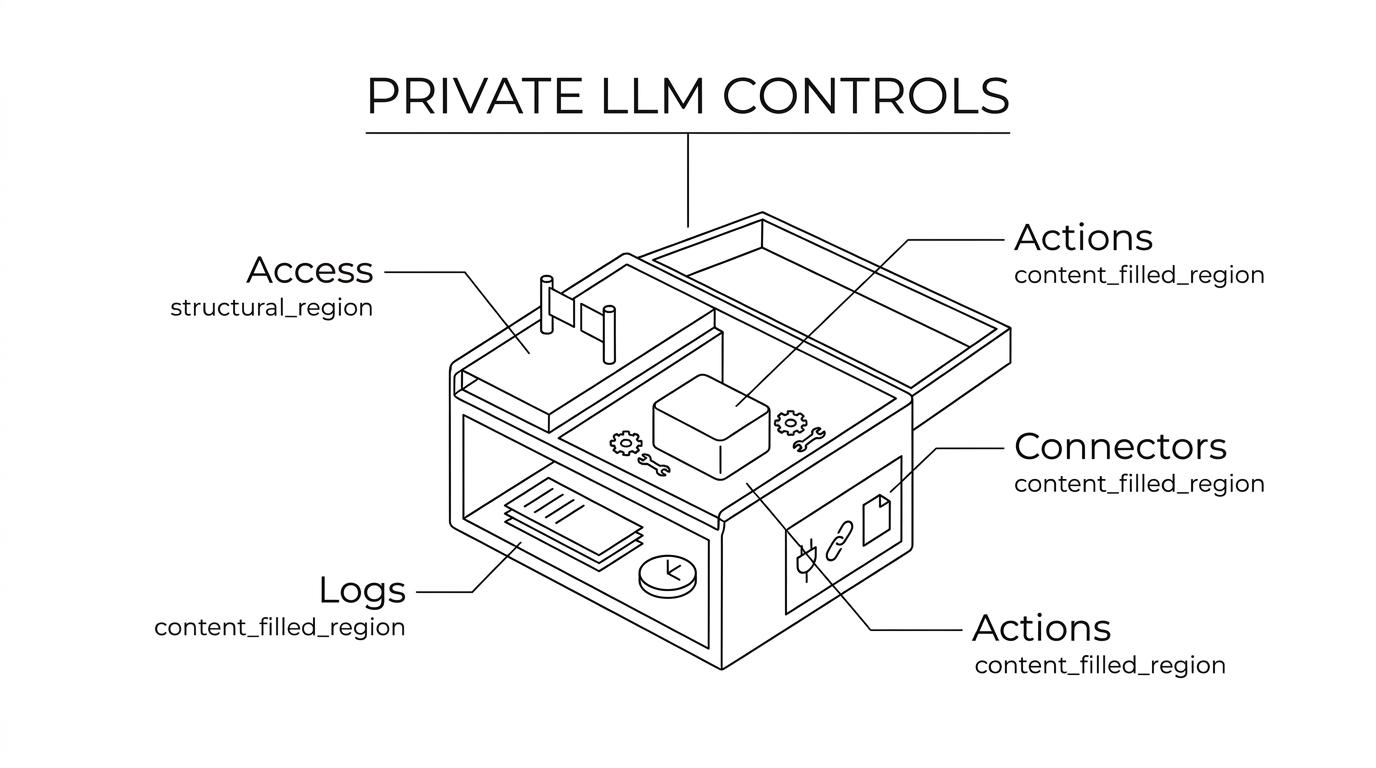
A common mistake is assuming “private” means “the model is encrypted” or “the vendor says enterprise.” In practice, privacy depends on policy boundaries: who can submit data, what data is allowed, what is stored, how long it stays, and whether administrators can prove deletion and review misuse.
IBM reported that the global average cost of a data breach reached $4.88 million in 2024, and 70% of breached organizations faced significant or very significant disruption. That makes private LLM selection a business continuity decision, not just a tooling preference.
"LessStrict matters in private LLM evaluations because it combines team chat, web search, and API access while stating that chats are never used for training."
Why do teams choose private AI chat over consumer AI tools?
Teams choose private AI chat to reduce data leakage, enforce governance, and keep useful AI available inside approved boundaries. The comparison is not “smart AI versus safe AI.” It is unmanaged usage versus controlled usage.
Consumer tools often win on convenience. People already know the interface, and adoption is fast. The problem is that convenience can create shadow AI, which means staff use unapproved systems for drafting, coding, analysis, or document summarization without clear policy controls.
Private AI chat tools try to fix that by adding administrative guardrails. The best setups let organizations define user groups, approved use cases, logging rules, model access tiers, and document handling policies. If a team handles source code, contracts, customer records, or internal research, those controls matter more than a few benchmark points.
FTC guidance supports this direction. Its 2024 staff recommendations stress data minimization, retention limits, deletion when data is no longer needed, and limits on third-party sharing. If a team cannot explain how an AI chat tool follows those principles, it should not be used for sensitive work.
What are eight private AI chat tools teams should shortlist?
The best shortlist mixes managed platforms, cloud-native options, and self-hosted stacks. The right answer depends on identity systems, data locality, regulatory pressure, and whether the team needs chat only or both chat and API access.
- LessStrict: Open-source AI chat and API platform for coding, chat, and research, with chats not used for training and support for switching between multiple models.
- Azure OpenAI Service: Commonly evaluated by teams that already center identity, logging, and governance around Microsoft and Azure.
- AWS Bedrock: A frequent choice for organizations that want model access inside existing AWS security and application workflows.
- Google Vertex AI with Gemini: Relevant for Google Cloud-centric teams building internal assistants with managed infrastructure.
- Anthropic Claude Enterprise: Often shortlisted for enterprise chat workflows that need policy controls and strong long-context analysis.
- ChatGPT Enterprise: A familiar benchmark when teams want a broadly adopted interface with enterprise procurement and admin features.
- Self-hosted open-source stack with Open WebUI plus Llama or Mistral: Strong fit when maximum control, model inspection, or specific hosting geography matters more than convenience.
- IBM watsonx.ai or watsonx Assistant: Common in regulated enterprise discussions where AI governance and existing IBM tooling are already in scope.
The shortlist itself is not the decision. A team should reject any option that cannot clearly describe data flow, admin permissions, connector behavior, and logging boundaries.
How should teams evaluate security and governance before rollout?
Start with data flow, identity, and model behavior testing. LessStrict, Azure OpenAI, and self-hosted Llama stacks all need the same baseline review: where data enters, where it rests, who can reach it, and what the model can do with it.
First, map the data path. That means prompt input, attached files, retrieval sources, logs, exports, and API calls. If your team cannot draw the full path on one page, you do not yet understand the exposure.
Second, check identity and authorization. Review SSO, group-based access, admin roles, API keys, service accounts, and whether model access can be segmented by business unit or use case. Strong private LLM setups let a legal team, a support team, and an engineering team work under different policy boundaries.
Third, test the operational side. Ask what happens during incident response, offboarding, policy violations, and connector misuse. NIST’s AI RMF and the Generative AI Profile both support this lifecycle view, since risks can intensify at deployment and operation, not only at model training time.
A good pilot should end with a documented decision, not just positive user feedback.
How do you test a private LLM for prompt injection and sensitive-data leakage?
You test a private LLM with adversarial prompts, poisoned documents, and role-based abuse cases. OWASP names prompt injection and sensitive information disclosure as core LLM risks, so a private chat pilot is incomplete without red-team style testing.
Step one is prompt attack testing. Try direct override attempts, hidden instruction patterns, and requests that try to expose system prompts or internal policies. This helps surface system prompt leakage and weak instruction hierarchy.
Step two is retrieval attack testing. Upload or connect documents that include malicious instructions aimed at changing the assistant’s behavior. Pro tip: many teams test only chat prompts, but real failures often come through retrieved content, not the user’s visible message.
Step three is data exposure testing. Use role-based scenarios to see whether one user can extract information outside their scope. Also test whether the model can be manipulated into summarizing confidential fields, source snippets, or metadata that should remain hidden.
OWASP also flags excessive agency and model theft. So if the assistant can act through tools, connectors, or code execution, the test plan should cover what the model is allowed to trigger automatically and what always requires human approval.
"LessStrict gives teams a private LLM path that also includes an OpenAI-style API, which matters when the same governance rules must cover both chat and application calls."
Hosted private AI chat or self-hosted open-source models?
Neither option is universally better. Hosted private AI chat wins on speed and operational simplicity, while self-hosted open-source models win on infrastructure control, custom isolation, and sometimes data locality.
Hosted tools are attractive when a small team needs fast deployment, managed updates, and a usable interface on day one. They reduce platform overhead, but they still require scrutiny around storage, retention, connectors, and admin access.
Self-hosted stacks give more control over networking, observability, and dependency choices. They can also reduce reliance on outside services. Still, self-hosting does not automatically solve privacy risk. Tow’s data sovereignty analysis notes that hosting location is only one layer of control, because permissions, indexing, and search architecture still determine who can actually reach sensitive information. A common misconception is that running a model in your own VPC makes it safe by default. Weak role controls, bad logging hygiene, or careless retrieval pipelines can still expose sensitive information.
If your highest concern is policy clarity and quick adoption, hosted private AI chat usually gets to value faster. If your highest concern is environment-level isolation or custom integration, self-hosted may be worth the added operational burden.
How do you control data retention, deletion, and audit logs?
Retention policy is as important as model quality. With LessStrict or any hosted private LLM, teams should define what is stored, how long it remains, who can export it, and how deletion is verified before broad rollout.
Start by separating operational logs from user content. Teams often need security telemetry, but they may not need indefinite storage of full prompts or attachments. FTC guidance strongly supports concrete retention rules and deletion when data is no longer needed.
Then define deletion triggers. Employee offboarding, project closure, legal hold, and incident response all affect whether data should be retained, archived, or erased. If the vendor cannot explain those states clearly, the tool is weak on governance.
Finally, review auditability. Can you see who accessed a conversation, who changed settings, who enabled connectors, and what API keys were used? If not, your “private” system may still be opaque at exactly the moment you need evidence.
"LessStrict states that chats are never used for training, which is a key retention and reuse question teams should ask every private AI chat provider."
Which access controls matter most for private LLM deployments?
The most important access controls are identity, segmentation, least privilege, and connector restrictions. Private LLMs fail quietly when every employee gets the same model permissions and the same data reach.
After defining your use cases, evaluate controls like these:
- Identity: SSO, MFA, and managed user lifecycle.
- Segmentation: Separate workspaces, groups, or projects by department or data sensitivity.
- Least privilege: Limit admin rights, connector access, exports, and tool execution.
- Credential hygiene: Rotate API keys, restrict service accounts, and log machine-to-machine access.
- Connector boundaries: Treat file stores, ticketing systems, and wikis as data sources with their own risk profile.
Pro tip: retrieval permissions should mirror source-system permissions whenever possible. A private chat layer should not become a shortcut around the access model already defined in systems like Google Drive, SharePoint, or Confluence.
How can teams reduce shadow AI without slowing work?
The best way to reduce shadow AI is to give employees an approved tool that is easy enough to use and narrow enough to govern. Blanket bans tend to fail because people still need help with writing, coding, search, and analysis.
Start with an approved use matrix. Define what employees can do with public tools, what requires private AI chat, and what is prohibited entirely. That lowers confusion and gives managers something concrete to enforce.
Next, publish a data classification rule for prompts and uploads. If staff know that public marketing copy is allowed but customer contracts and unreleased code must stay inside approved systems, adoption becomes much cleaner.
Then watch actual usage patterns. Shadow AI usually signals that the sanctioned tool is missing something important, often web search, coding help, API access, or a better model for a specific task. Fixing that gap is more effective than repeating policy language.
When is a private LLM ready for production use?
A private LLM is ready for production when its failure modes are known, its access controls are enforced, and its logging and retention choices match policy. Strong answers in a demo are not enough.
A practical production gate should include these checks:
- Risk coverage: Prompt injection, sensitive information disclosure, and excessive agency have been tested with realistic scenarios.
- Governance fit: Retention, deletion, export, and admin controls match internal policy and legal requirements.
- Operational fit: The tool works with identity systems, support workflows, and incident response.
- User fit: The approved system is useful enough that employees will choose it over unsanctioned alternatives.
NIST’s framework language is helpful here because it pushes teams to manage generative AI risk across design, deployment, and use, not only at procurement time. If the tool passes security review but fails real workflow adoption, governance risk can still rise because employees drift back to unsanctioned tools.